The ultimate tool for pro-level screenshots
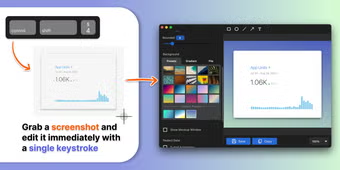
Savvyshot is a freemium utility software built to help you move away from messy, cluttered screenshots that look unprofessional. Rather than simply capturing a raw screen grab, this tool enables you to generate clean, presentation-ready visuals in a matter of seconds.
Immediately upon capture, Savvyshot allows you to refine an image's appearance to meet your specific requirements. Through its intuitive workspace, you gain access to a suite of tools that balance aesthetic quality with the speed necessary for daily digital tasks. The software functions as a specialized editor that handles the heavy lifting of design without the learning curve.
Design meets efficiency
Savvyshot functions as an all-in-one editor that allows you to capture any region, window, or your entire display with a single keystroke. Once you have your image, the app provides a native environment where you can immediately begin refining the layout. It is a practical platform for those who need to produce clean, professional assets without opening a dedicated design suite.
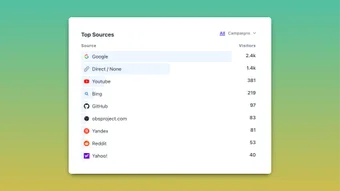
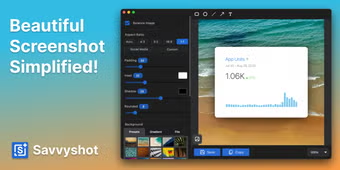
You can customize the visual appeal by adjusting padding, shadows, and borders to create a balanced look. The application includes Annotation tools like shapes, arrows, and text for highlighting specific details. Furthermore, the Unsplash integration lets you pull high-quality backgrounds instantly. These features work together seamlessly to ensure your screenshots look polished and intentional rather than cluttered or raw.
Beyond basic aesthetics, the software includes advanced features like Scroll Capture for long pages and Automatic Redaction to hide sensitive data like emails. The Pinned Window mode is also helpful for keeping your reference material visible while you work in other programs. It's worth noting, however, that the Free version includes a watermark on exports, which requires a paid license if you want to remove it or use custom branding.
A must-have for digital creators
Ultimately, Savvyshot is a powerful solution for anyone needing to transform raw screen grabs into polished, professional assets quickly. It provides immense value by bridging the gap between basic captures and high-end design suites. While the watermark on the free tier is a slight drawback, the time-saving automation and aesthetic enhancements make it an essential utility for creators who prioritize visual clarity and a streamlined digital workflow.